KCC Bridge Explained: How to Safely Transfer Tokens to the KuCoin Community Chain
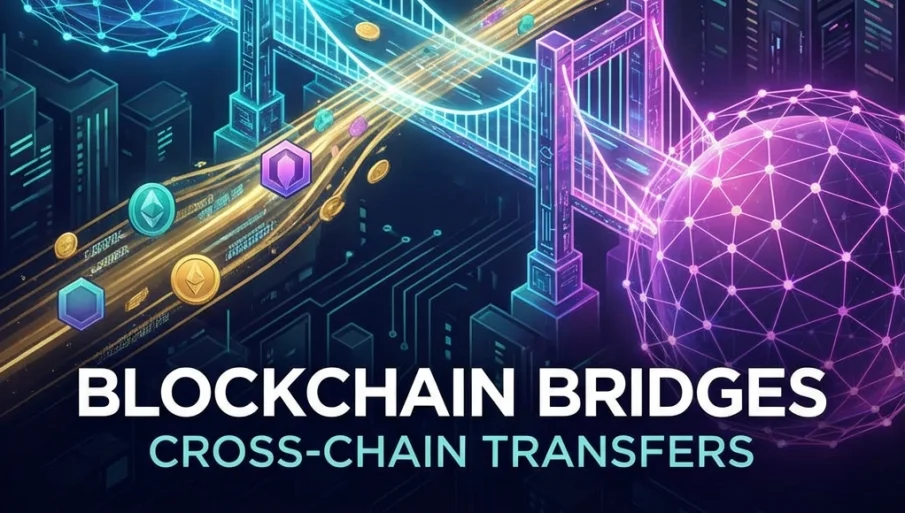
Moving assets between blockchain networks has become an essential skill for anyone navigating the modern DeFi landscape. The KCC Bridge serves as the official gateway for transferring tokens from popular chains like Ethereum, Binance Smart Chain, Polygon, Avalanche, and Fantom to the KuCoin Community Chain. In this tutorial, we will explore everything you need to know about using the KCC Bridge safely and efficiently.
Understanding Cross-Chain Bridges
Before diving into the technical process, it helps to understand what a blockchain bridge actually does. At its core, a bridge is a protocol that enables the transfer of assets and data between two separate blockchain networks that would otherwise be unable to communicate directly.
When you use the KCC Bridge to move tokens, the bridge smart contract locks your original tokens on the source chain and mints an equivalent amount of wrapped or pegged tokens on the destination chain. This process ensures that the total supply across both chains remains constant and that your assets maintain their value during the transfer.
What You Need Before Bridging
To use the KCC Bridge successfully, you should prepare the following items beforehand:
A compatible Web3 wallet such as MetaMask, Coin98, or TokenPocket must be installed and connected to both your source network and the KCC network. Make sure your wallet already has the KCC network configured with the correct RPC settings.
You will need the tokens you want to bridge available in your wallet on the source chain. Additionally, ensure you have enough native tokens on both chains to cover transaction fees. For example, if bridging from Ethereum, you need ETH for the approval and transfer transactions. On the KCC side, you will need KCS to interact with dApps after your tokens arrive.
Step-by-Step Bridging Guide
Connecting to the KCC Bridge
Navigate to the official KCC Bridge website. Always verify that you are on the correct domain to avoid phishing attempts. Bookmark the official URL once you confirm its authenticity.
Click the "Connect Wallet" button and select your preferred wallet from the available options. MetaMask is the most commonly used choice. After selecting your wallet, you may need to enter your password and approve the connection request.
Configuring Your Transfer
Once your wallet is connected, you need to configure the transfer parameters. Start by selecting the token you wish to bridge from the "Asset" dropdown menu. The bridge supports a variety of popular tokens including stablecoins and major cryptocurrencies.
In the "From" section, choose the network where your tokens currently reside. Options typically include Ethereum Network, Binance Smart Chain, Polygon Network, Avalanche C-Chain, and Fantom Opera.
In the "To" section, select KCC Mainnet Network as your destination. The interface will display the estimated fees and any minimum transfer amounts that apply to your chosen asset.
Approving the Transaction
For first-time transfers of any specific token, you must approve the bridge contract to interact with your tokens. This is a standard security measure in DeFi that prevents contracts from accessing your funds without explicit permission.
Click the "Approve" button and confirm the transaction in your wallet. This approval step will consume a small amount of gas on the source network. Once the approval transaction is confirmed on the blockchain, you can proceed with the actual transfer.
Executing the Transfer
After approval, enter the amount of tokens you want to bridge. Make sure the amount exceeds any minimum requirements displayed on the interface. Review all the details carefully, including the destination address and estimated arrival time.
Click the "Transfer" button to initiate the bridging process. Confirm the transaction in your connected wallet. You will need to pay gas fees on the source network for this transaction.
Waiting for Confirmation
Cross-chain transfers take time because the bridge must wait for sufficient block confirmations on the source chain before releasing tokens on KCC. The duration varies depending on network congestion and the specific chains involved. Typically, you can expect transfers to complete within 10 to 30 minutes.
The KCC Bridge interface usually displays a transaction history section where you can monitor the status of your pending transfers. You can also use block explorers on both networks to verify the progress.
Safety Considerations
Bridge protocols have historically been targets for exploits, so exercising caution is essential. Always verify that you are using the official KCC Bridge by checking the URL carefully. Never click on bridge links from unsolicited messages or social media posts.
Start with a small test transaction before bridging large amounts. This approach helps you confirm that everything is working correctly and that you understand the process fully.
Double-check destination addresses before confirming any transaction. While the bridge typically handles address mapping automatically, verifying this information adds an extra layer of security.
Keep in mind that bridged tokens become "pegged" versions on KCC. This means they are backed one-to-one by the original tokens locked in the bridge contract. When you want to move these tokens back to their original chain, you will use the same bridge in reverse.
Common Pitfalls to Avoid
One frequent mistake is attempting to bridge tokens without having KCS on the KCC network to pay for subsequent transactions. Make sure to bridge some KCS first or transfer it from KuCoin to your MetaMask address.
Another issue arises when users fail to wait for sufficient confirmations and assume the transfer has failed. Be patient and check the transaction history on the bridge interface rather than attempting multiple transfers.
If a transfer seems stuck, avoid panicking. Network congestion can sometimes delay confirmations. Wait at least an hour before contacting support, and always have your transaction hashes ready for reference.
Making the Most of KCC
Once your tokens arrive on the KCC network, a world of DeFi opportunities opens up. You can provide liquidity on decentralized exchanges like KuSwap and MojitoSwap, participate in yield farming, or explore lending protocols like Torches Finance.
The low gas fees on KCC make it practical to make frequent trades and adjust your positions without worrying about transaction costs eating into your profits. Welcome to the KCC ecosystem.
More to Read:


Previous Posts: